

Clear, Shareable Product Information
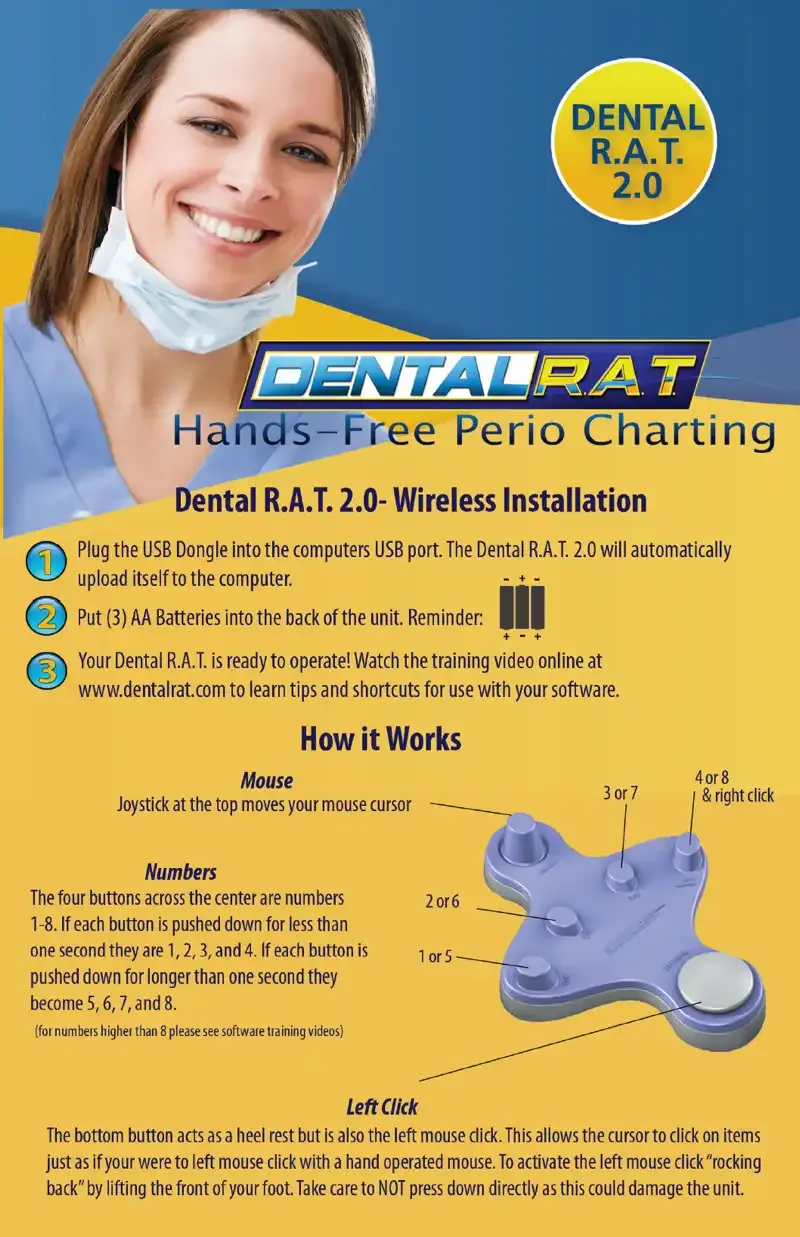
The brochure suits newsletters, onboarding emails and printed training packets. A standard overview helps practices train new staff consistently and answer patient questions with confidence.
The media center is organized into three groups of downloadable and linkable materials.
Each group does a different job. The brochure supports staff training and onboarding. The images support editorial and marketing use. The articles give independent context for readers who want a perspective beyond the manufacturer's own description.
Thousands of Dental R.A.T. users practice in the United States and Canada. Beckmer Products Inc. describes the Dental R.A.T. 2.0 as having changed how periodontal charting is done, and says it helps dental offices comply with federal privacy regulations. The company also says the device is safe, effective and saves dental offices around the country thousands of dollars.
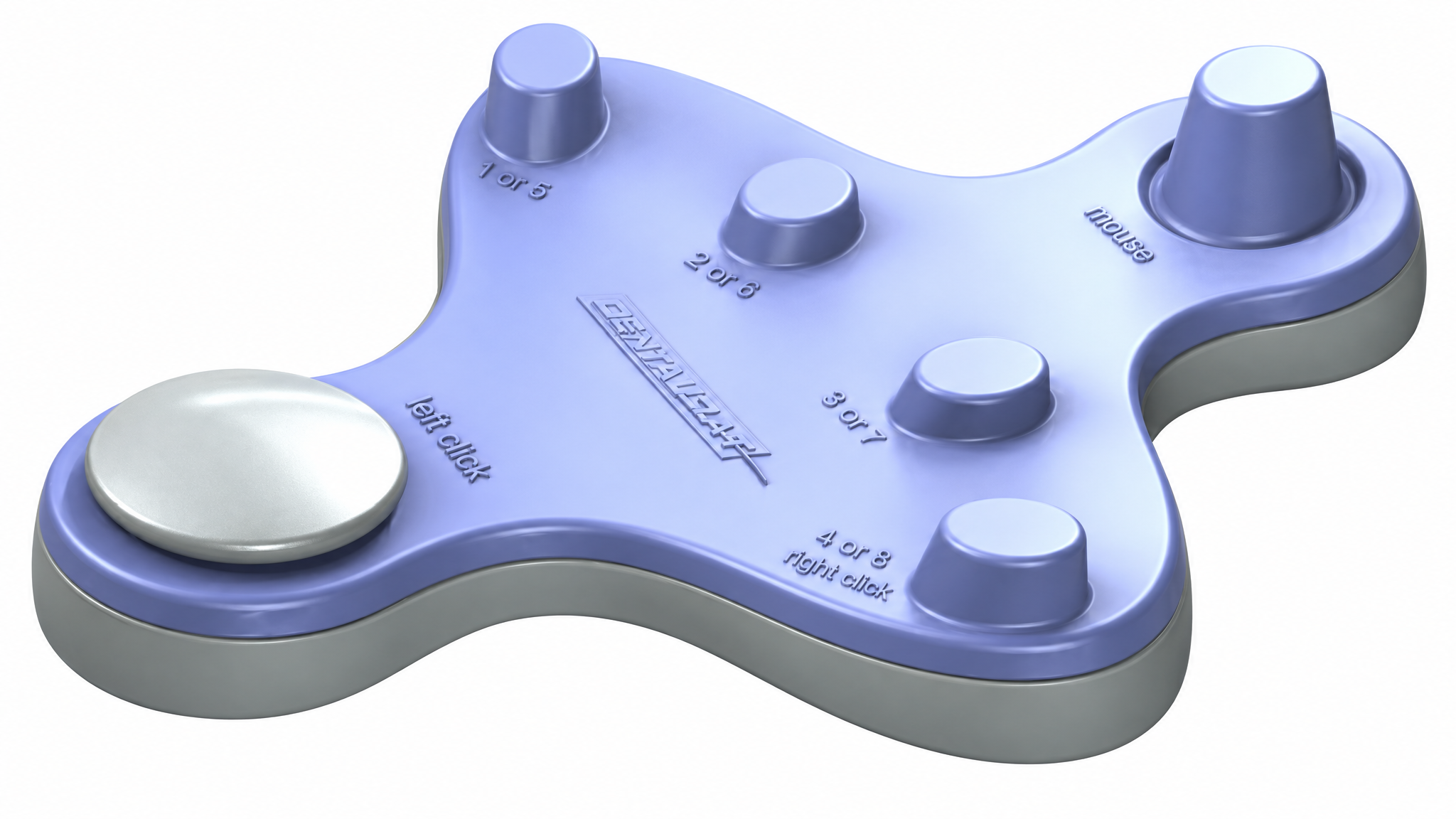
Accurate coverage starts with how the device works. The Dental R.A.T. is a foot-operated mouse that gives hands free access to periodontal charting, intraoral cameras and digital X-rays. It plugs into a USB port, and the mouse functions need no additional software. The controls are:
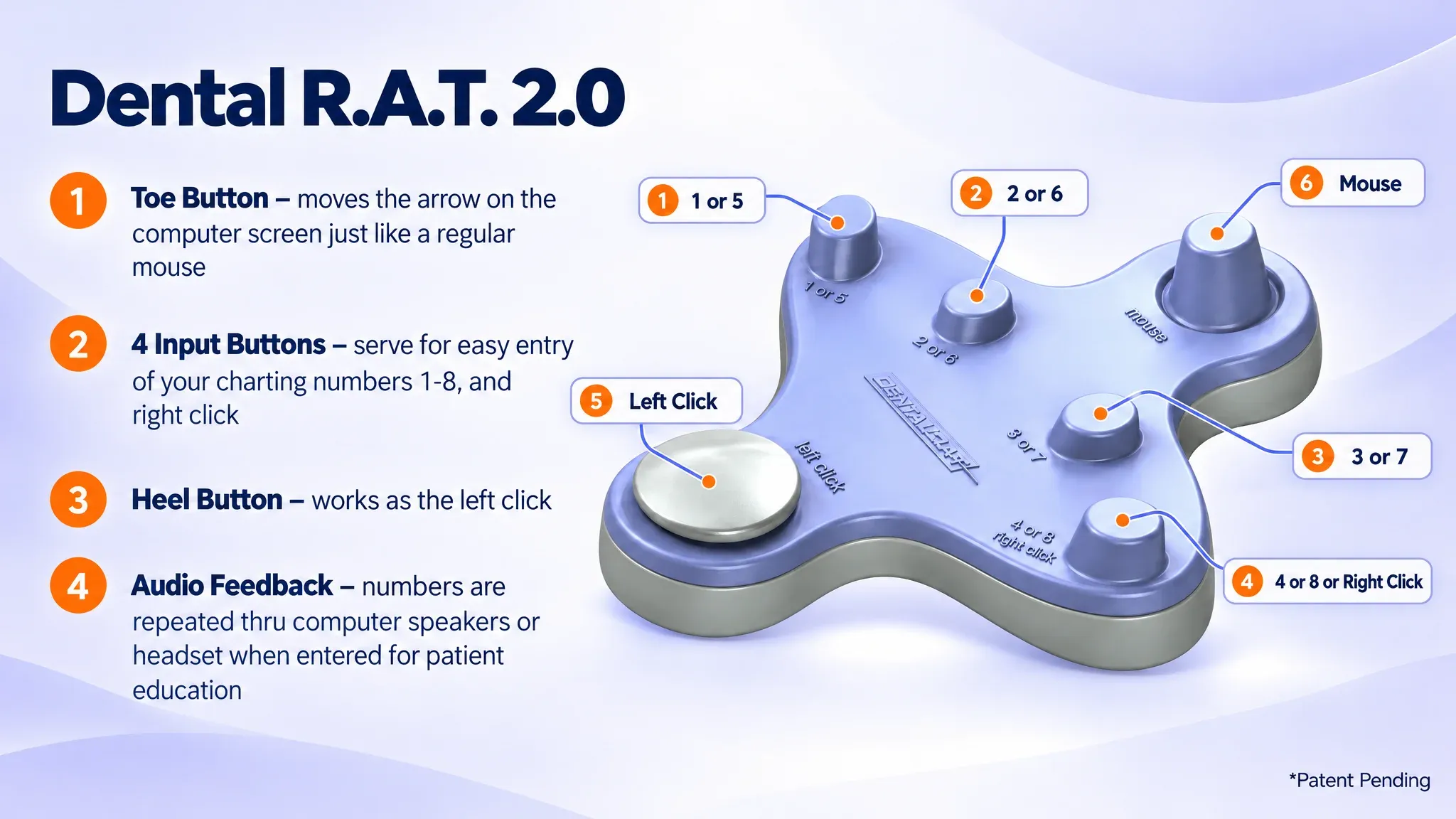
The Dental R.A.T. 2.0 can run wireless by radio frequency or wired by USB cord. Because the computer sees it as a mouse, anything a hand mouse can do in the practice software can be done with the foot. That includes capturing intraoral camera images, opening and zooming digital X-rays, and checking the schedule.
A full periodontal chart records probing depths at six sites per tooth, which can mean up to 192 readings for a full dentition. It also records findings such as bleeding and recession. Entering that data usually forces a choice. The clinician can stop and touch a keyboard or mouse, which means de-gloving and re-gloving to protect the chain of asepsis. Or an assistant can be pulled away from other duties to record the numbers. A foot-controlled input removes both interruptions. The Dental R.A.T. also keeps the readings between the operator and the patient, because the numbers can be heard privately through a headset.
The brochure suits newsletters, onboarding emails and printed training packets. A standard overview helps practices train new staff consistently and answer patient questions with confidence.
The Dental RAT 2.0 image and logo are provided at high resolution so trade publications, presenters and marketing teams can reproduce them cleanly in print and on screen.
The article list points to independent coverage in dental and hygiene publications, including RDH and Modern Hygienist. These pieces show how clinicians and editors have described the technology in their own words.
The media center also points to practical learning material. The instructional videos begin with an introduction video of about five minutes. In it, founder and inventor Becky Logue covers the history, basic functionality and benefits of the Dental R.A.T.
Software-specific videos then show the device working with periodontal charting programs. They include Eaglesoft, Dentrix G4, Easy Dental/Dentrix and Soft Dent, plus setup, audio feedback loading and complete exam walk-throughs. The device has also been tested with PracticeWorks, PerioExec and Florida Probe software. It runs other packages such as Daisy Dental, MacPractice, Alta, Genesis, Dentech, Maxim, Panda Perio and XL Dent, even where no video exists yet.
The downloads section supplies a user manual with basic installation and startup instructions. It also provides the audio feedback program for Mac and for Windows 10 in 32-bit and 64-bit versions. MD5 checksums are listed so IT staff can verify file integrity before installing.
Anyone covering dental technology can use the brochure, images and article references to build a feature without starting from scratch. The materials are available for download and reuse. They are meant to help the dental community and the media spread accurate information about hands free periodontal charting.
Members of the media who need information for an article or broadcast story can call toll-free at 877-278-0061 or 208-489-1590. Phone hours are Monday through Friday, 9am to 5pm. The office is closed Saturday and Sunday. You can also email bky.logue@gmail.com.
The materials are intended for clinicians, practice managers, educators, journalists, bloggers and industry influencers. They are available for easy download and reuse in articles, training documents, presentations and promotional pieces about hands free periodontal charting.
The image library holds two high-resolution files: a photo of the Dental RAT 2.0 and the Dental R.A.T. logo. High resolution matters because print layouts and large presentation slides expose pixelation in low-resolution files.
The brochure is a concise overview that can be printed, added to a newsletter, or attached to a clinician onboarding email. Giving every new team member the same overview helps standardize training and prepares staff to answer patient questions about the device.
A manufacturer's website describes the product from its own point of view. Articles in outside publications show how editors and clinicians have characterized the device independently. The media center lists Med Monthly (page 60), an RDH editorial on perio charting (page 34), RDH Magazine, Horizon Air Magazine and Modern Hygienist so readers can compare those perspectives.
Attribute them to Beckmer Products Inc. The company states that the device is safe and effective, helps offices comply with federal privacy regulations, and saves offices thousands of dollars. These are the manufacturer's statements. A balanced story can pair them with the independent articles and the device's technical specifications.
Call toll-free at 877-278-0061 or 208-489-1590, or email bky.logue@gmail.com. Phone hours are Monday through Friday, 9am to 5pm, and the office is closed on weekends.
The Dental R.A.T. is made by Beckmer Products Inc., based in Meridian, Idaho. The company was founded by dental professionals with experience in dental offices and teaching environments. R.A.T. stands for Remote Access Terminal, which reflects its role as a remote, foot-operated way to control the operatory computer.
The company reports thousands of users in the United States and Canada. It is used in general dental offices as well as periodontal offices, so a story can draw on a range of practice types.
The introduction video runs about five minutes and is presented by founder and inventor Becky Logue. It covers the history, basic functionality and benefits of the device. Software-specific videos cover Eaglesoft, Dentrix G4, Easy Dental/Dentrix and Soft Dent. Additional videos cover device setup, loading the audio feedback program and a complete exam.
The downloads page lists MD5 checksums for the Windows 10 32-bit and 64-bit audio feedback files. After downloading, compute the file's MD5 hash and compare it with the published value. A match confirms the file was not corrupted or altered in transit. For installation help, call 877-278-0061.